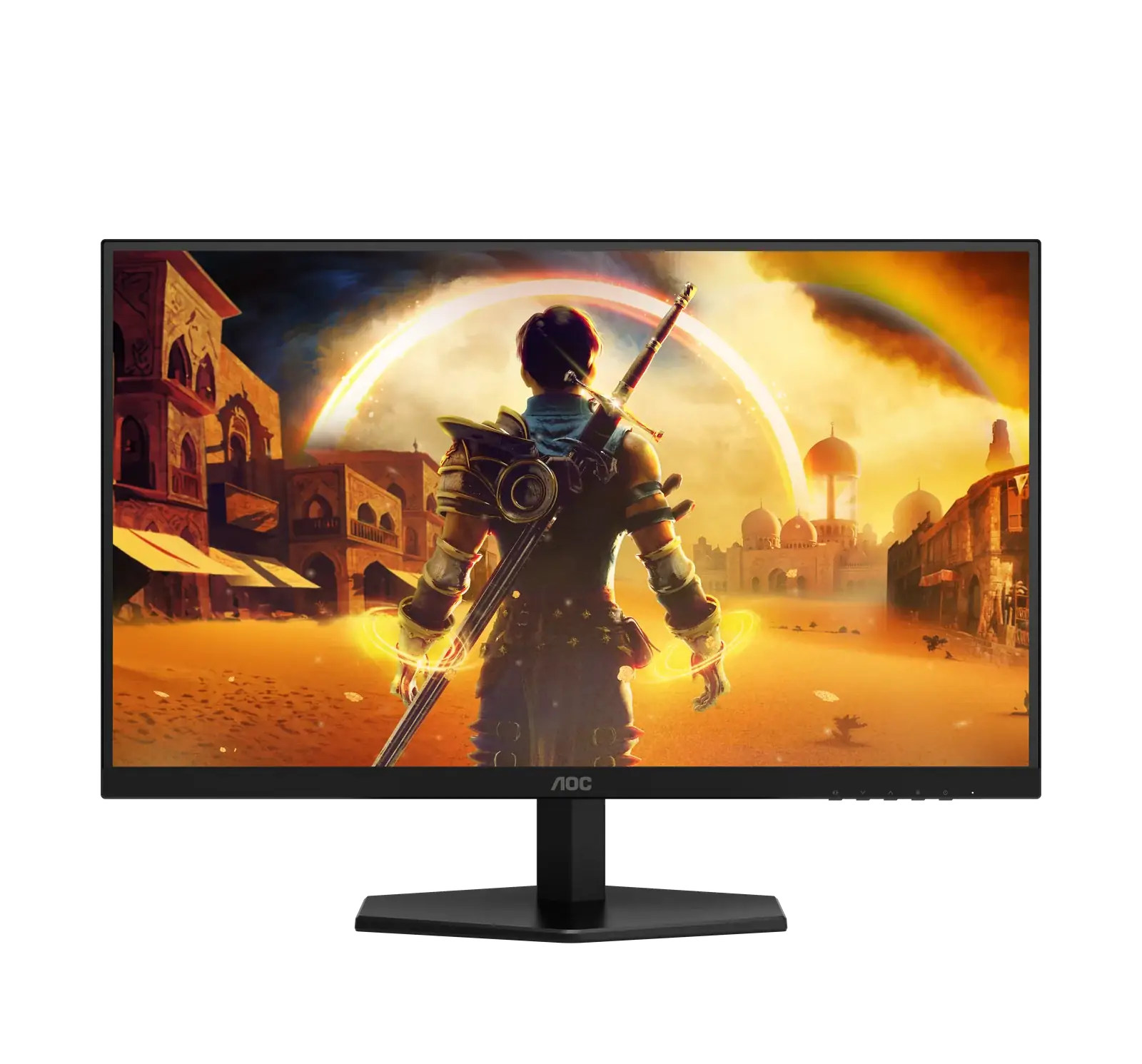
AOC Q27G41ZE
By AOC · Gaming Monitors · Audio & Electronics
- 27-inch QHD IPS panel
- 260Hz refresh rate
- G-Sync
Lowest price seen
$26.67
from $26.67 at ShopAbunda · Checked Oct 3, 2026
- ShopAbunda $26.67View at ShopAbunda
- AOC (D2C checkout via gethatch.com 'Buy now', 'Available in 1 retail stores') $159.99View at AOC (D2C checkout via gethatch.com 'Buy now', 'Available in 1 retail stores')
- NeweggView at Newegg
- eBayView at eBay
- eBay (used) eBay: used, open-box, refurbishedView at eBay (used)
- AmazonView at Amazon
Prices are snapshots. Check the current price with the store.
Summary
A 27-inch QHD Fast IPS gaming monitor for competitive PC play, with 240 Hz native refresh and Adaptive-Sync. Check the panel for dead pixels and VRR flicker while the return window is still open.
Strengths
- Owners report clear motion with minimal ghosting and describe the colors positively.
- Native 240 Hz with Adaptive-Sync and Low Input Lag mode suits fast play.
- G-SYNC Compatible support works without extra hardware.
- Tilt stand plus VESA mount covers basic desk setups.
- Sparse extras keep the focus on panel speed.
Weaknesses
- The stand tilts only, with no height, swivel or pivot adjustment.
- One HDMI plus one DisplayPort leaves little room for multi-device setups.
- HDR Ready on 300-nit hardware is compatibility, not strong HDR.
- Exact-model owners report dead and stuck pixels, with one case needing multiple replacements.
- Separate owners report a G-SYNC line and Adaptive-Sync flicker that stopped when sync was off.
- No built-in speakers, so plan on external speakers or headphones.
Verified specifications
| Panel | 27.0-inch flat IPS / Fast IPS, WLED, anti-glare. |
|---|---|
| Resolution | 2560x1440, 16:9, 8-bit / 16.7M colors. |
| Refresh | 240 Hz native; 260 Hz overclock at 2560x1440. The manual warns to revert to 240 Hz if display errors occur. |
| Response | 1 ms GtG typical; 0.3 ms MPRT, per AOC. No independent lab measurement was found. |
| Brightness | 300 cd/m²; NTSC 85% on the US page. |
| Contrast | 1000:1 static. |
| Sync | G-SYNC Compatible / Adaptive-Sync, Low Input Lag mode, Flicker-Free, HDR Ready. |
| Ports | 1x HDMI 2.0, 1x DisplayPort 1.4, 1x audio out. No USB-C, RJ45, DP out, KVM. |
| Speakers | none specified. Audio out is present. |
| Mount | VESA 100 × 100 mm. |
| Dimensions | 613.9 × 449.4 × 189.7 mm with stand; 3.84 kg with stand, 3.45 kg without stand. |
| Stand | tilt -3° ±2° to +21° ±2°; no swivel, pivot or height adjustment. |
| Power | typical 35 W, max 56 W, standby 0.5 W, off 0.3 W; 100–240 V, 1.5 A. |
Full research notes and sources
Speed and overclock
AOC lists 240 Hz as the maximum in the spec table and offers 260 Hz as an overclock at 2560x1440. The manual tells you to return to 240 Hz if you see display errors, so treat 260 Hz as a setting to test rather than a guarantee. AOC claims 1 ms GtG and 0.3 ms MPRT, but no instrumented exact-model lab test was found, so treat those as factory ratings. An owner who had used the monitor for a few months said the colors were deep, the panel showed no flickering, and the 240 Hz refresh was especially useful for multiplayer gaming. Separate use notes from Ibisik describe responsive motion with minimal ghosting, though that source misstates which refresh rate is native, so it is only used for its motion impressions.
Ports, stand and HDR
AOC US lists one HDMI 2.0, one DisplayPort 1.4 and audio out, with no USB-C, hub, KVM or speakers. Some Amazon-derived aggregators list two HDMI ports, but the first-party US and Canada pages say one, so count on a single HDMI until you check the unit. The stand tilts only, so plan on a monitor arm if you need height or portrait. HDR Ready means the monitor accepts an HDR signal; with 300 cd/m² and no local dimming documented, do not buy it for HDR movies. The on-screen menu is driven by a single joystick.
Pixel checks, warranty and running costs
Two independent exact-model threads describe pixel trouble, including one buyer who went through multiple replacements for bright and stuck pixels and another who found a dead pixel near screen center after roughly a week. Separate owners in r/Monitors and r/buildapc threads report a line with G-SYNC enabled and brightness flicker that stopped when Adaptive Sync was off. That is too small a sample to estimate a defect rate, so test pixels and VRR while the retailer return window is open. A recurring owner frustration is the lack of long-term reviews and the difficulty of telling this model apart from similarly named AOC revisions, so match the exact model number before buying. AOC’s general warranty covers three years for defects with a one-year LED-panel exception and pixel-policy conditions, and one owner found a single dead pixel did not qualify; Newegg advertises a 3-year zero-bright-dot policy, but verify the pixel terms at claim time. Keep the box, as AOC notes replacement packaging may be charged.
There are no user-replaceable consumables, no battery and no USB hub; the only part you can swap is the standard C13/C14 power cable. Running the panel is the main ongoing cost: at 35 W typical and roughly six hours a day, electricity comes to about $14 a year at the US average residential rate.
Is it worth it?
At $159.99 (AOC US, late September 2026) the speed-per-dollar is still strong, and Newegg listed it at $144.99 in October 2026. Reddit buyers reported paying about $140 in April 2026. Buy it on sale if you want QHD speed for competitive PC play and can live with a tilt-only stand, and inspect it on arrival. Above about $180 the basic stand, the thin port count and the weak HDR make better-equipped rivals worth comparing.
Which model this is
This page covers the US Q27G41ZE, a 27-inch flat Fast IPS monitor at 2560x1440, 240 Hz native with 260 Hz overclock. Do not confuse it with Q27G42ZE, Q27G42XE or Q27G41ZDF, which use different hardware.
The US listing is ASIN B0FF5HXGJK.
Sources
Manufacturer:
- AOC Q27G41ZE user manual
- AOC US Q27G41ZE product page
- AOC Canada Q27G41ZE product page
- AOC US/Canada warranty document mirror
Independent reviews:
- TechReviewer specifications analysis
- Ibisik usage notes
- Vansware technical review
- WattCost AOC monitor running costs
Owner reports: