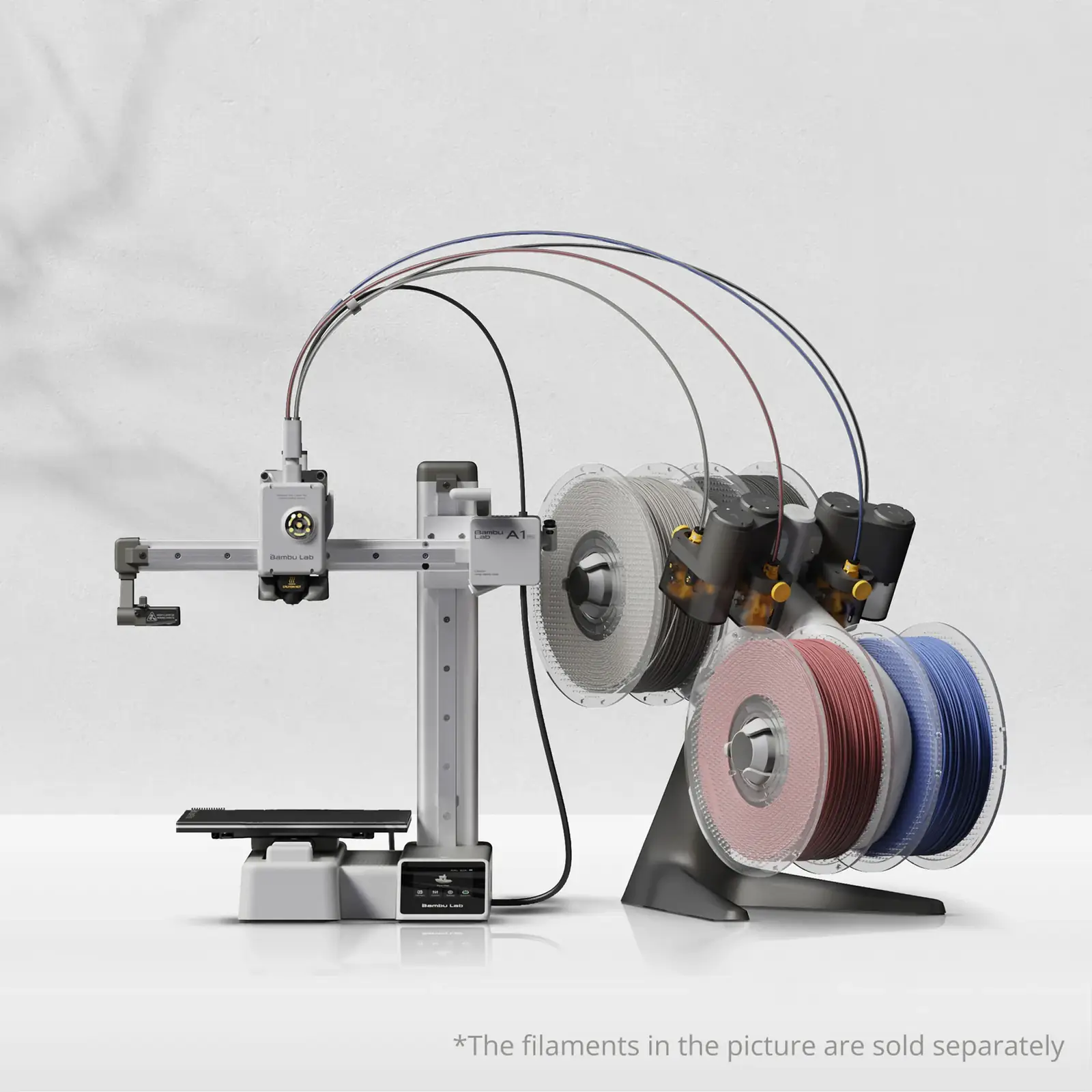
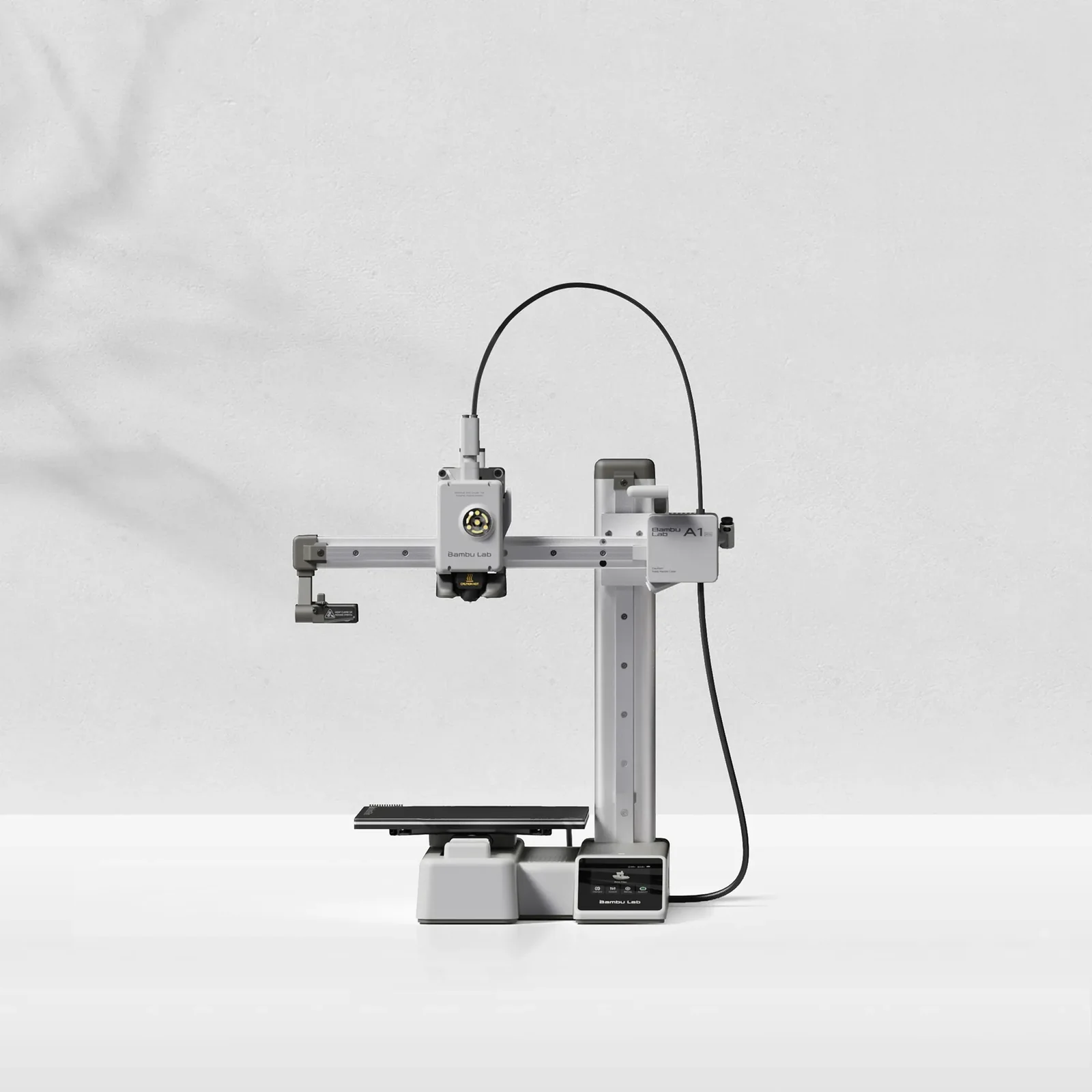
Bambu Lab A1 mini Combo (with AMS lite)
By Bambu Lab · 3D Printers · 3D Printing
- Build volume 180 x 180 x 180 mm
- Max toolhead speed 500 mm/s, max toolhead acceleration 10000 mm/s²
- Max hot end temperature 300 °C, max build plate temperature 80 °C
- AMS lite feeds 4 spools
Lowest price seen
~$399.00 (approx.)
from $399.00 at Amazon
- Amazon ~$399.00 (approx.)View at Amazon
- Bambu LabView at Bambu Lab
- eBayView at eBay
- eBay (used) eBay: used, open-box, refurbishedView at eBay (used)
Prices are snapshots. Check the current price with the store.
Summary
An open-frame 180 mm-cube FDM printer sold with the four-spool AMS lite, and one of the best-evidenced entry machines, with Editors’ Choice awards from PCMag and Tom’s Hardware and a Wirecutter top pick. Check two things before buying: the 180 mm bed rules out large parts, and the recurring owner complaint is the AMS lite’s filament feed, not print quality.
Strengths
- PCMag rated it 4.5 Outstanding with an Editors’ Choice and measured 27 out of 30 on the Kickstarter-Autodesk dimensional benchmark.
- Tom’s Hardware gave it an Editor’s Choice and called it the fastest Cartesian printer it had reviewed at the time.
- Wirecutter made it its top-pick 3D printer and reported it never needed glue stick, tape or hair spray for bed adhesion.
- Setup is guided and largely automatic, with bed and Z-offset calibration done for every print and no manual levelling.
- Fast default printing: PCMag could not tell default speed apart from a half-speed setting.
- The quick-swap hot end pops out after one latch, with the heat break and cooling fins integrated so there is no thermal-paste step.
Weaknesses
- The AMS lite is the weak point: owners repeatedly report filament that will not load, constant “Filament Stuck” errors and the toolhead hub popping loose during colour changes.
- The 180 mm bed is the binding constraint, and both PCMag and CNET flag bed size as the main drawback.
- There is no enclosure, and Bambu lists ABS, ASA, PC, PA and PET as not recommended.
- Multi-colour prints waste filament: PCMag photographed a small mountain of purge material from one four-colour print.
- The AMS lite is open-air and not humidity-controlled, so filament on it takes on ambient moisture.
- The 2.4-inch touchscreen is cramped, and the PCMag reviewer used a stylus.
Verified specifications
| Build volume | 180 x 180 x 180 mm. |
|---|---|
| Chassis | steel and extruded aluminium. |
| Motion | bed-slinger (Cartesian) design. |
| Hot end | all-metal, 300 °C maximum. |
| Nozzle | stainless steel 0.4 mm included, with 0.2, 0.6 and 0.8 mm options. |
| Extruder | direct drive with hardened steel gears. |
| Max toolhead speed | 500 mm/s. |
| Max acceleration | 10000 mm/s². |
| Max hot end flow | 28 mm³/s, quoted with ABS. |
| Max build plate temperature | 80 °C. |
| Build plate | Bambu Textured PEI Plate included. |
| Filament | 1.75 mm with a fitted cutter; PLA, PETG, TPU and PVA listed as ideal, while ABS, ASA, PC, PA and PET are not recommended. |
| Sensors | filament run-out, odometry, tangle detection and power-loss recovery. |
| Camera | up to 1080p with timelapse support, and no AI print-fail detection. |
| Display | 2.4-inch 320x240 IPS touchscreen. |
| Connectivity | Wi-Fi (2.4 GHz, 802.11 b/g/n), Bambu-Bus and microSD; control by touchscreen, app or PC. |
| Slicer | Bambu Studio for macOS and Windows. |
| Multi-material | AMS lite with four spools, open-air and not humidity-controlled. |
| Power | 150 W maximum, 100-240 VAC input. |
| Dimensions and weight | 347 x 315 x 365 mm; 5.5 kg net, and the Combo ships boxed at 10.2 kg gross. |
| In the box | printer, spool holder, purge wiper, build plate, PTFE tube, a 20 g filament sample, nozzle and accessory box, plus the AMS lite body, stand, four rotary spool holders and three PTFE tubes. |
| Warranty | 2 years in the US and Canada under the policy updated 22 September 2026, with 30-day returns. |
Full research notes and sources
Print quality and speed
PCMag’s review unit was the Combo at $399, and it measured 27 out of 30 on the Kickstarter-Autodesk dimensional benchmark, with the 3D Benchy at 2.38 in against a 2.36 in rubric and the 0.9 in bridge roof matching exactly. It noted the default print speed of 19.7 inches per second was visually indistinguishable from a 9.8 ips setting. Tom’s Hardware found the unit 95% assembled, fully self-levelling and fast enough at 500 mm/s and 10000 mm/s² to be the quickest Cartesian printer the outlet had reviewed. TechRadar reported the machine meets its speed and quality claims and measured a 14-minute Benchy-class print.
The AMS lite, multi-colour and running costs
The AMS lite adds four-spool colour and accepts third-party filament; Bambu’s RFID spools only auto-load settings. It mounts spools by central core on spring-loaded motorised spindles, which Tom’s Hardware credits with handling cardboard, over-wide, over-tall and very light spools, and the open four-tube layout is easier to clear when brittle filament snaps. But it is the machine’s most repeated problem: owners report load failures, a constant “Filament Stuck” error that needs a retry in the app, the extruder hub popping loose with error 1200-8006 during colour changes, and jammed or failed individual feeders. None of that is quantified, so read it as a known risk rather than a failure rate.
There is no proprietary filament lock-in and the AMS lite takes third-party spools. Bambu’s US store listed PLA Basic at $13.29, PETG Basic at $11.89 and PLA Pure at $13.99 for 1 kg (Bambu Lab, 2026-10-04), and a multi-size hot-end kit at $21.58. The larger running cost on multi-colour work is purge waste, which both PCMag and Tom’s Hardware list as a con. Buying the printer alone and adding the AMS lite later costs $150 bundled versus $200 standalone, so the Combo is the cheaper route if you will actually use four colours.
Warranty and returns
Bambu’s US limited warranty, updated 22 September 2026, runs 2 years for US and Canadian consumers and 1 year elsewhere, with a transitional extension for store purchases and returns stretched from 14 to 30 days. PCMag’s spec table still shows 1 year, which reflects the policy when its May 2024 review was written. Repairability is good: hot ends swap without tools, Bambu publishes error-code documentation in its wiki, and spare parts are sold.
Is it worth it?
At or below the documented Combo band of roughly $399 it is well supported by independent testing, with two Editors’ Choice awards, a Wirecutter top pick and measured dimensional accuracy. Above roughly $400 the full-size A1, with a 256 mm cube and a 100 °C bed, removes the small-bed compromise for a reported $399 base. If you need ABS, ASA or parts larger than 180 mm, this is the wrong machine and an enclosed model is the correct comparison.
Which model this is
This page covers the Bambu Lab A1 mini Combo, the 180 mm-cube A1 mini bundled with the AMS lite four-spool feeder, ASIN B0CRYZWJLG. It is not the full-size A1, which has a 256 mm cube, a 100 °C bed and a 3.5-inch screen, and it is not the A1 Combo. The AMS lite is required because the enclosed AMS sold for the X1 and P1 is not compatible with the A1 mini.
Sources
Manufacturer:
- Bambu Lab A1 mini technical specifications
- Bambu Lab A1 mini US store
- Bambu Lab US warranty
- Bambu Lab A1 mini product page
Independent reviews:
- PCMag A1 mini review
- Tom’s Hardware A1 mini review
- Tom’s Hardware A1 review
- Wirecutter best 3D printers
- CNET A1 hands-on
- TechRadar A1 mini review
Owner reports:
- A1 mini AMS lite trouble loading filament (r/BambuLab)
- Constant “Filament Stuck” error (r/BambuLab)
- New to the AMS Lite (r/BambuLab)
- AMS Lite finicky filament insertion (r/BambuLab)
- Extruder hub failing to stay connected (Bambu Lab forum)
- A1 mini AMS lite nozzle clogged (Bambu Lab forum)
- A1 and AMS lite communication issue (Bambu Lab forum)